 Meeting Pilot

Transcribed on your Mac
Calls, classes, videos and podcasts, with FluidAudio or Apple On-Device.
For class and for work · macOS
On your Mac · No bot · Free
Calls, lectures, YouTube videos and podcasts become notes in your Journal, Notion, Obsidian or Apple Notes. Ask across all of them, and every answer shows where it came from.
Apple Silicon · macOS 26+ · Chrome extension for YouTube
curl -fsSL https://raw.githubusercontent.com/mard4/meeting-pilot/main/macos/MeetingPilot/Scripts/install.sh | bash
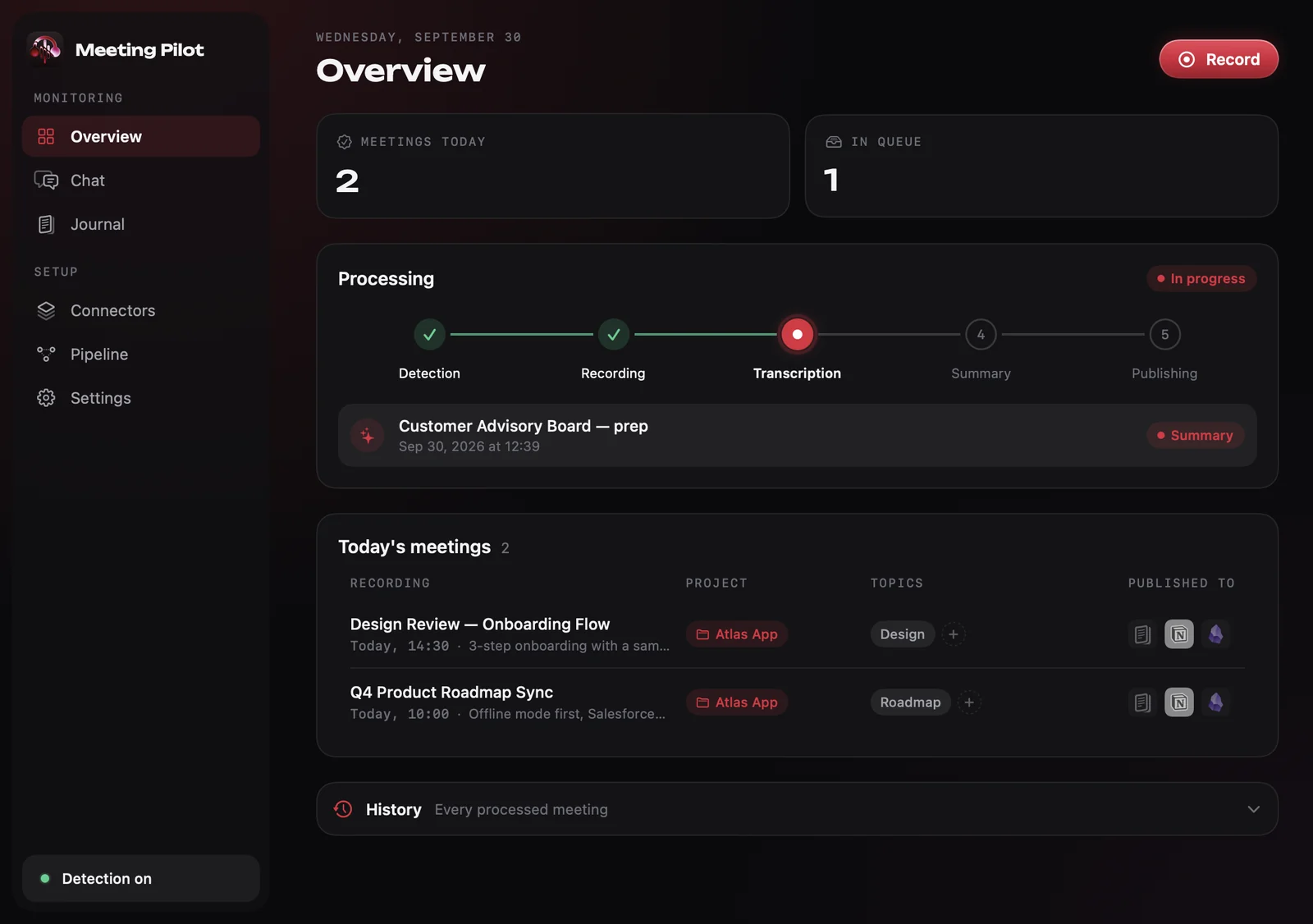
Animated demo: when a Teams call starts, Meeting Pilot offers to record it. A live sidebar transcribes the call with speaker segments while you take notes. When the call ends, the meeting is summarized and published to Notion, as a table row with its date, project and topic, and to Obsidian as a Markdown note. Then the meeting chat is asked what was decided about offline mode, and answers with the decision and the meetings it came from.
Calls, classes, videos and podcasts, with FluidAudio or Apple On-Device.
Study notes for lectures, decisions and to-dos for calls. Apple Intelligence, oMLX, Ollama or LM Studio.
Notion, Obsidian, Apple Notes or directly in the app.
A local model answers from every note and cites its sources.
Everything you hear
Each one becomes a note in the same Journal, ready to ask.
Calls
Teams calls are noticed, recorded and written up on their own. On Zoom, Meet or anything else, press Record.
Nothing leaves your Mac unless you want.
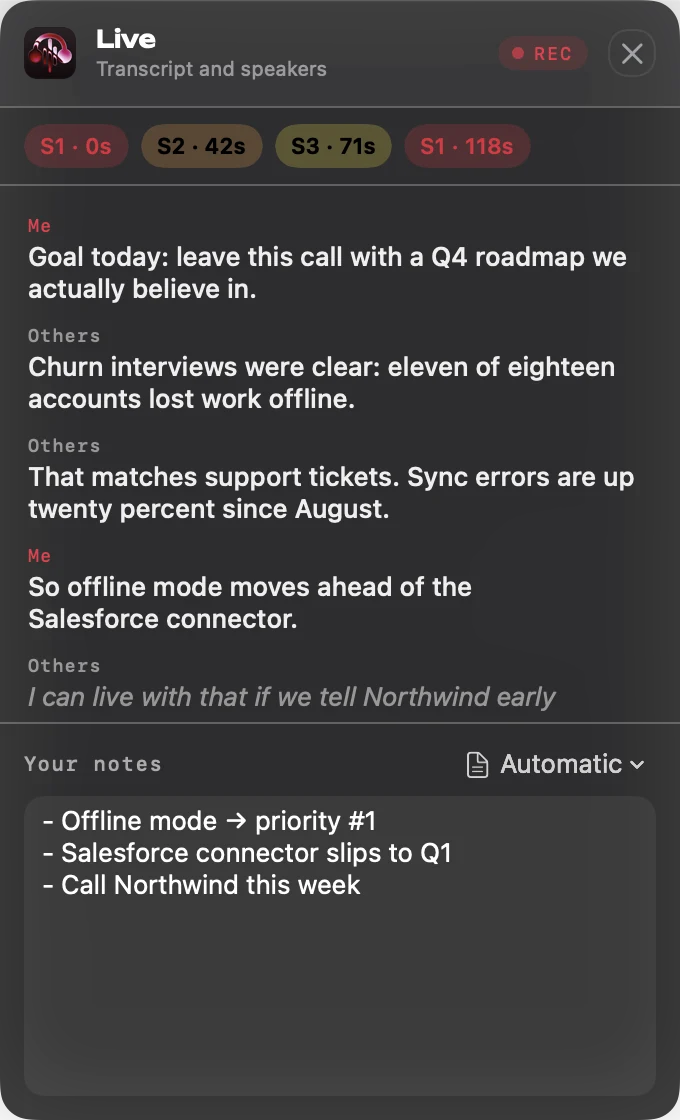
Live sidebar
A panel shows the live transcript while you take notes.
Classes
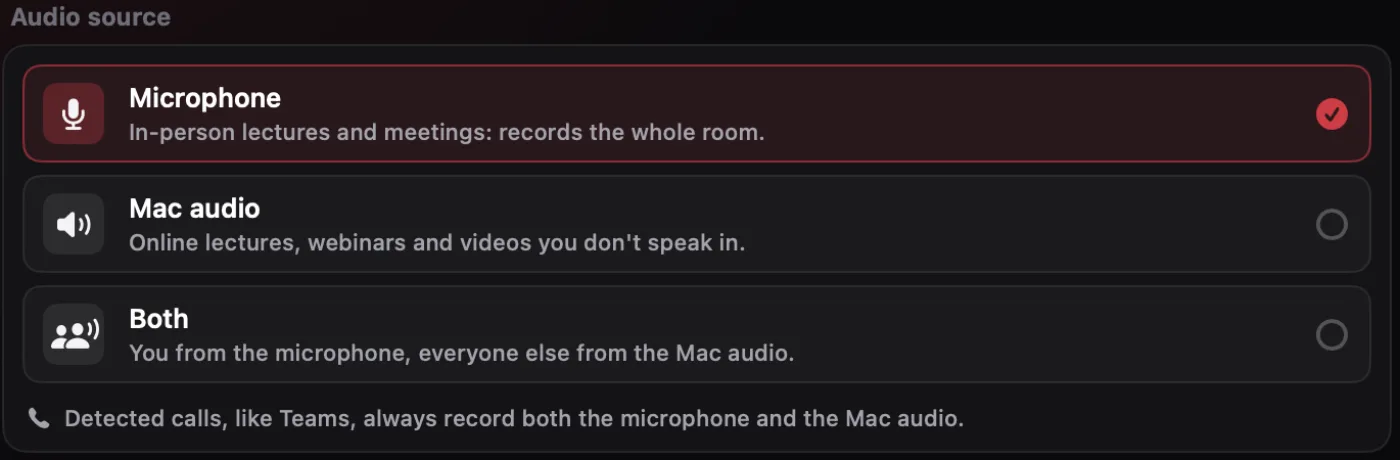
Press Record and pick the source. The microphone for a classroom or an in-person meeting, the Mac audio for an online lecture or a webinar, or both when you speak too.
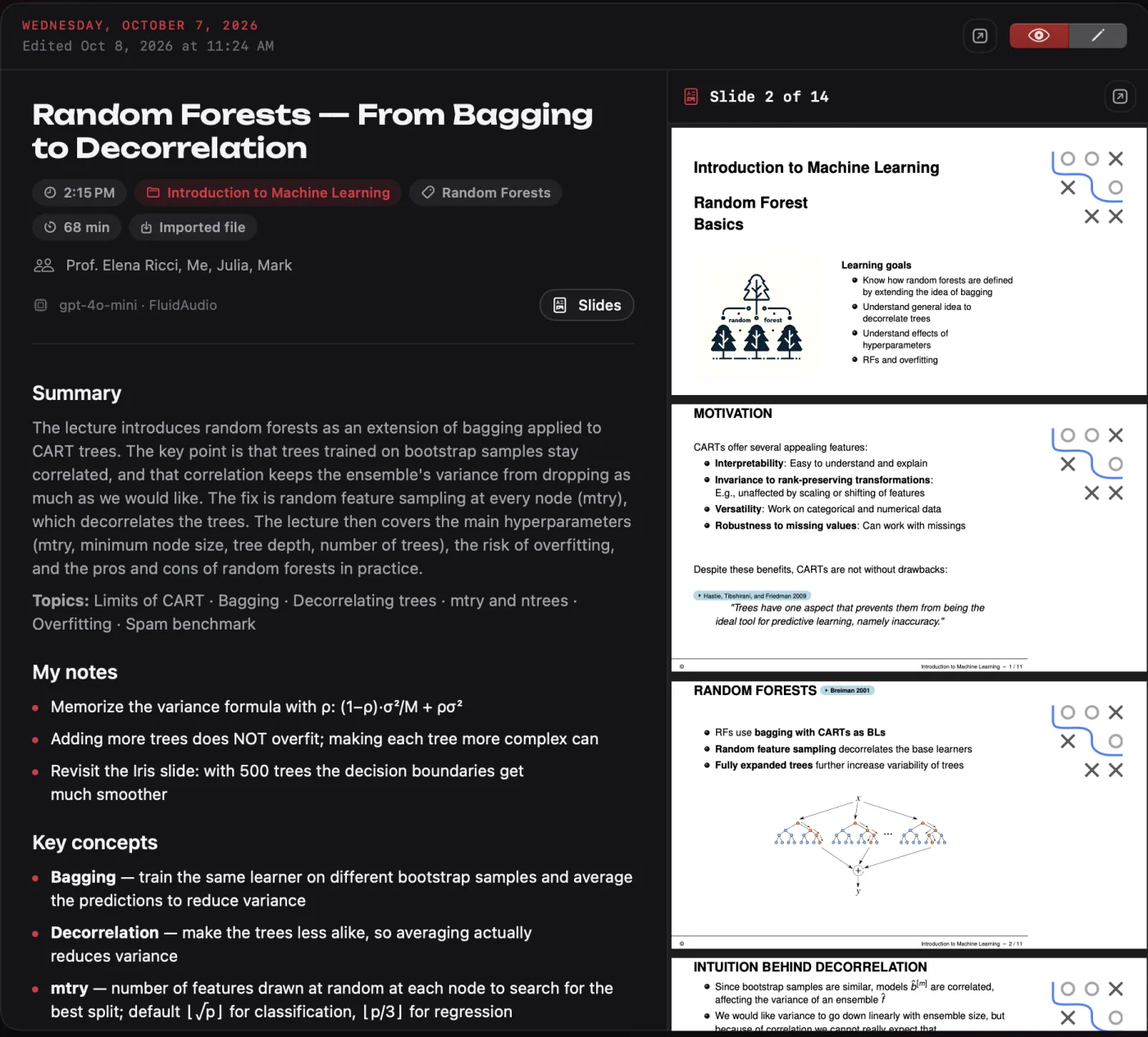
Slides PDF
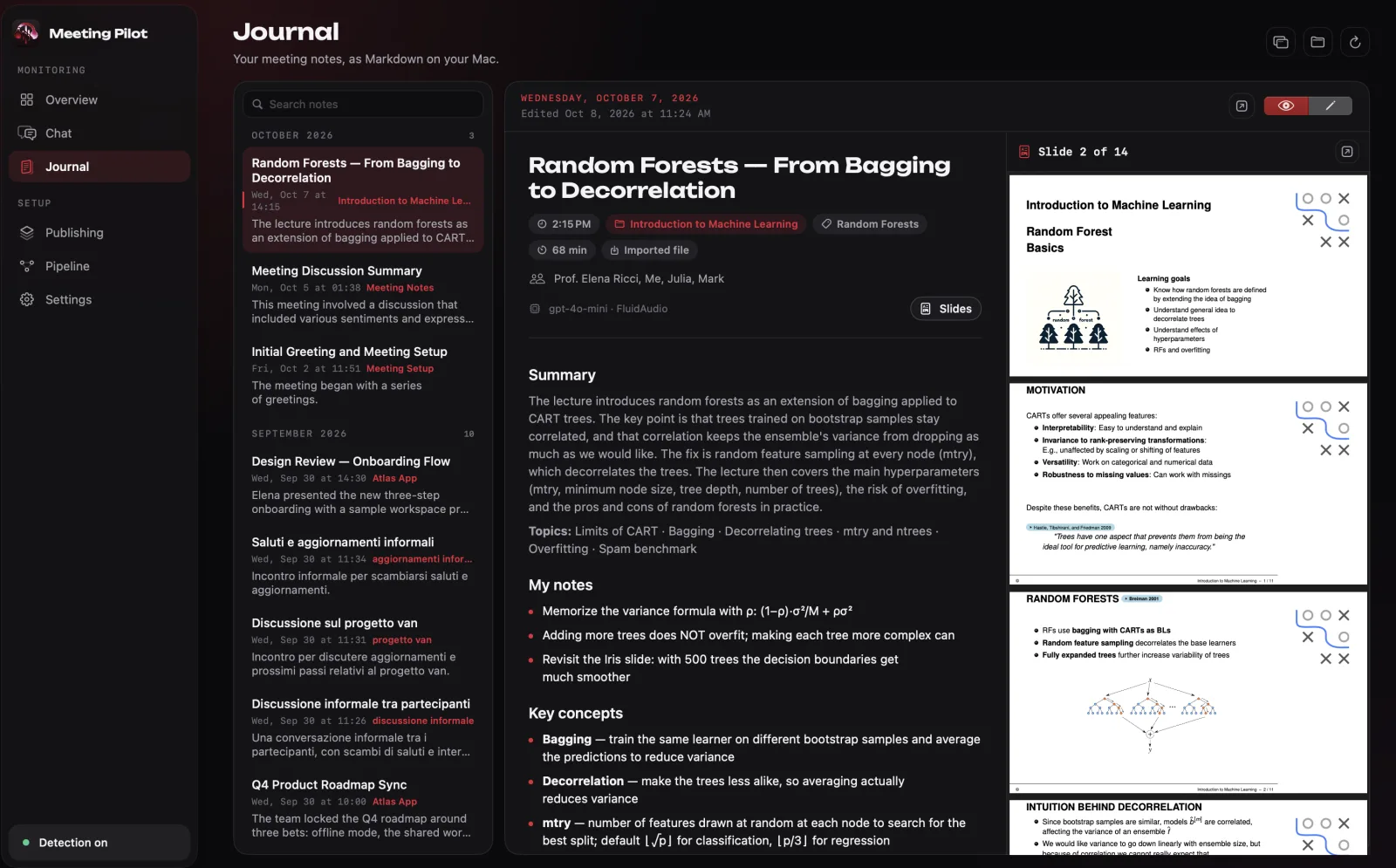
Add the lecture's PDF and every part of the transcript is matched to its slide, on your Mac and without a model. The summary cites them as (slide 3). Got the PDF after the lecture? Add it to any recording later: misheard names and terms are corrected from the slides, and the notes are rewritten.
Videos & podcasts
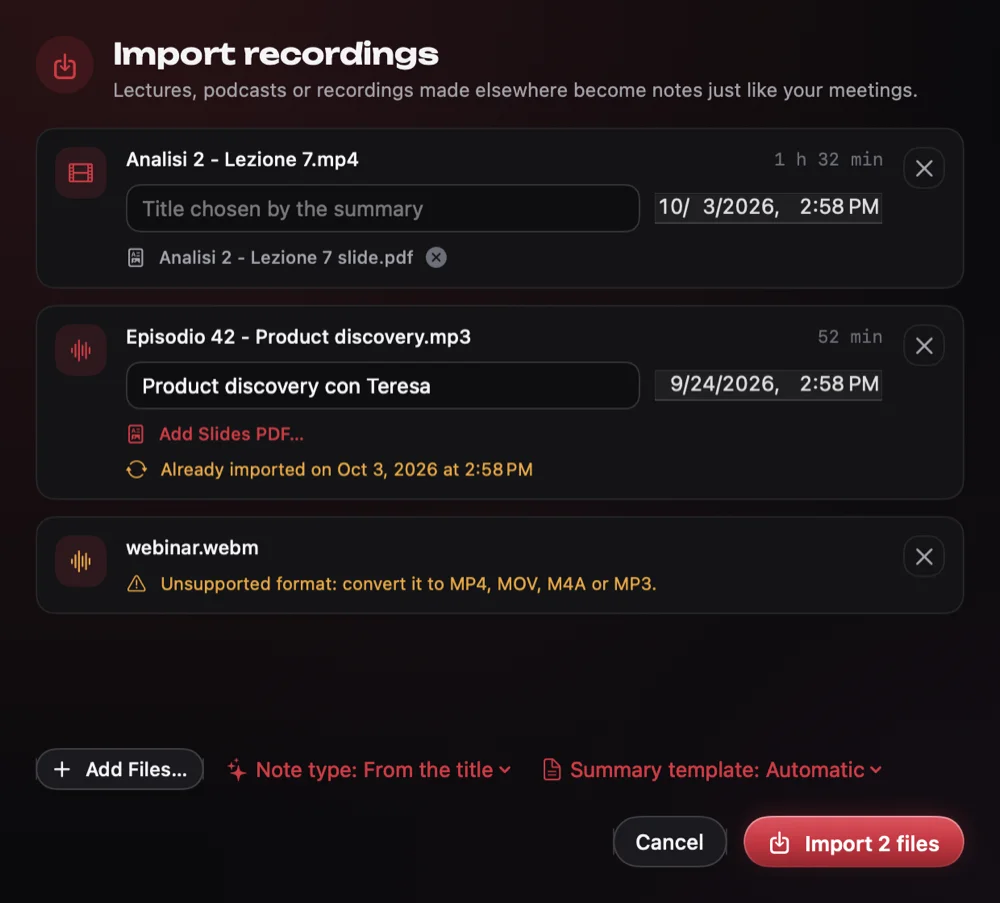
Lecture videos, podcasts and webinars recorded elsewhere become notes like everything else. Drop MP4, MOV, M4A or MP3 files on the window or press ⌘I. The original stays where it is.
Watching on YouTube? The browser extension sends the video to Meeting Pilot in one click.
Chat
Choose the projects and topics, then ask. Answers are summarized for you, and every line cites the note it came from.
Journal
Calls and lectures in one built-in Journal, as Markdown.
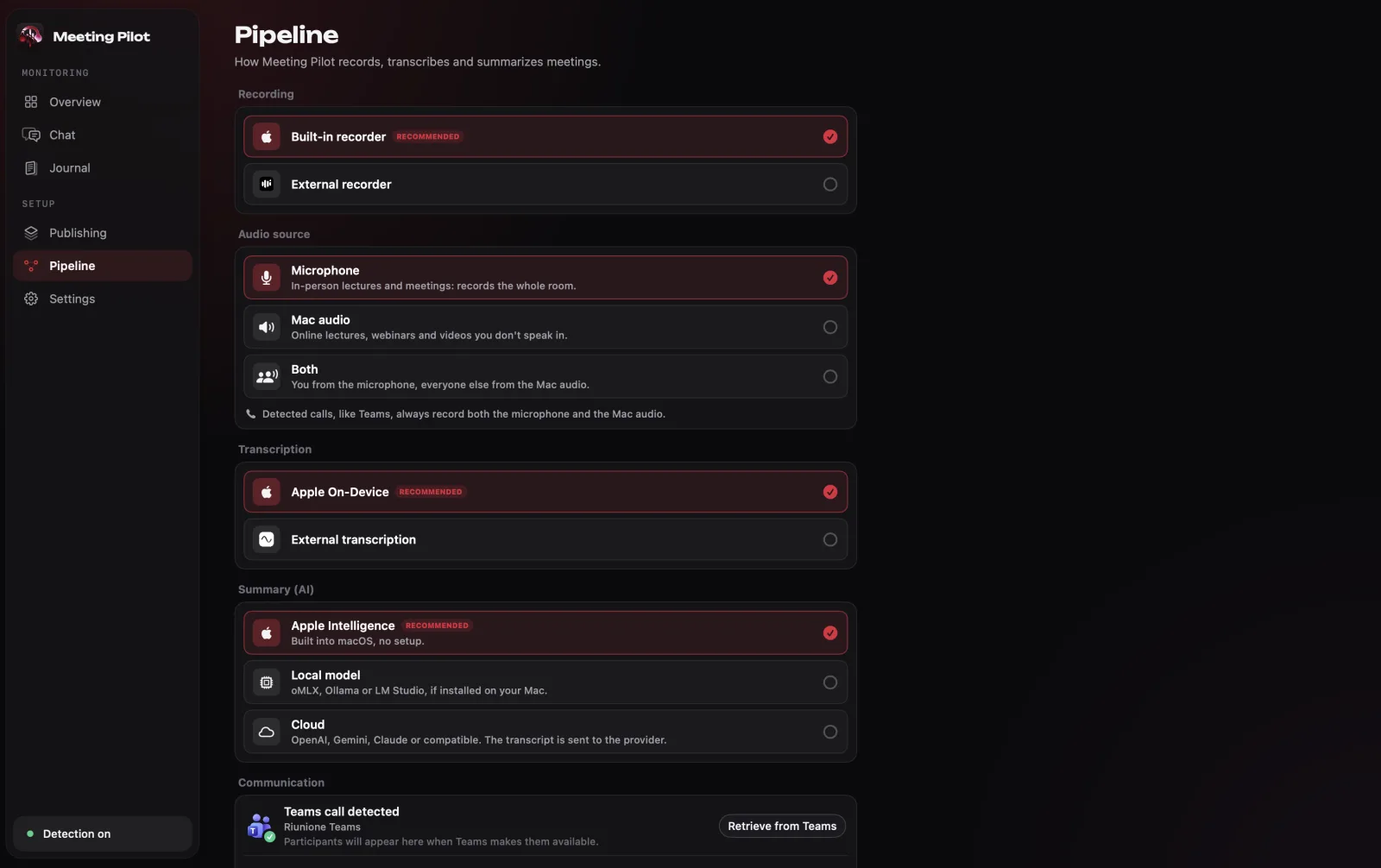
On-device by default
Needs macOS 26 or later. On older Macs, use a local model (oMLX, Ollama, LM Studio) or your own API key instead.
No meeting bot
Audio is recorded on your Mac and transcribed with FluidAudio or Apple On-Device. No bot, no dial-in.
Bring your own model
Add an OpenAI, Gemini or Claude key, or any OpenAI-compatible endpoint. It’s opt-in, and the only time transcript text leaves your Mac.
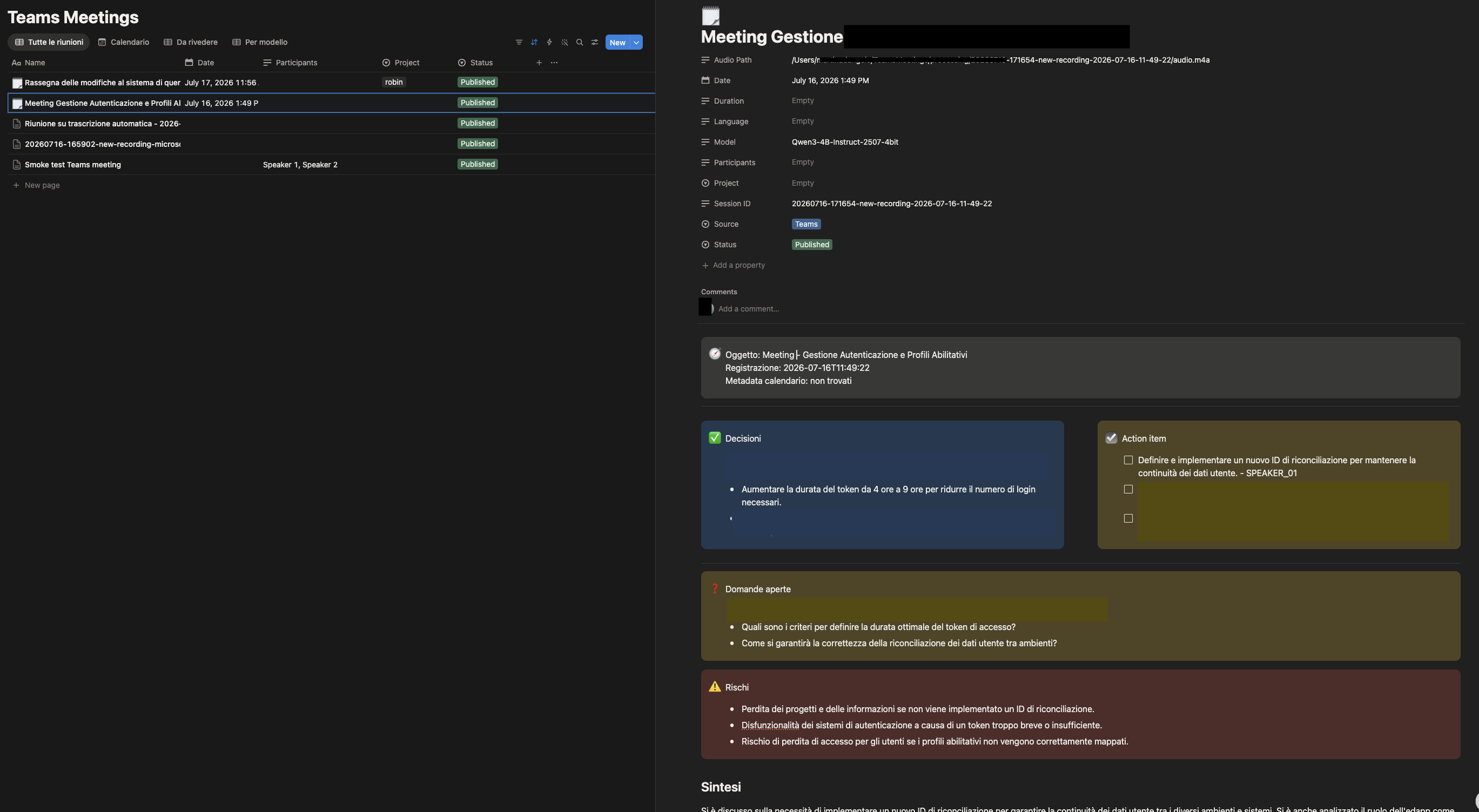
Notion, on your terms
Connect once. Every meeting is beautifully formatted in one table, with date, project, topic, participants and duration as columns.
Markdown you own
Connect once. Every meeting is a beautifully formatted Markdown note, with date, project, topic and participants up top.
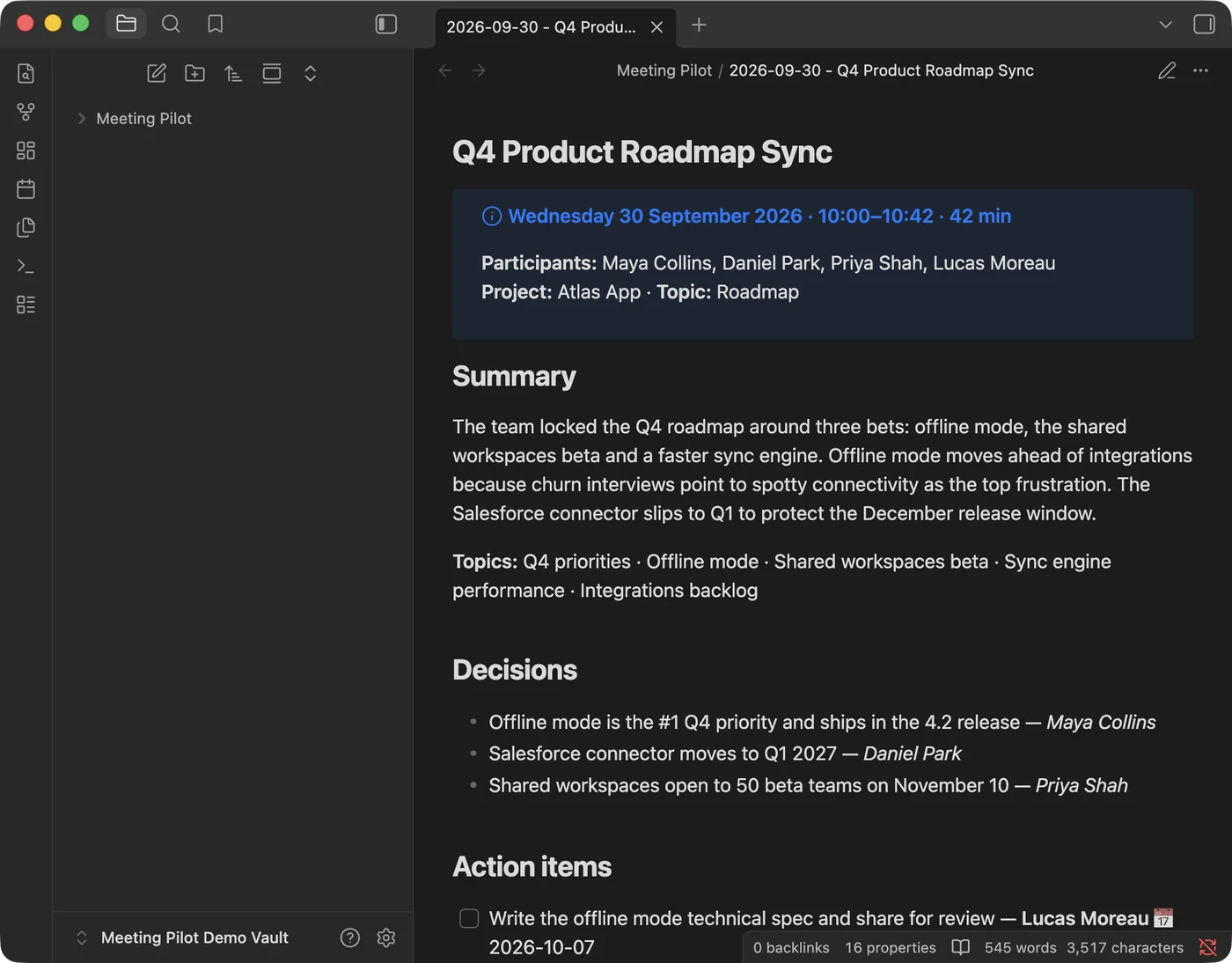
Meeting Pilot vs. similar products
Most meeting notetakers are cloud products. Meeting Pilot isn’t.
| Meeting Pilot | Similar products | |
|---|---|---|
| What it takes in | Calls, classes, videos, podcasts | Mostly calls |
| Audio processing | On-device | Stored in the cloud |
| Where notes live | Your Mac or your Notion | The vendor’s cloud |
| Meeting bot | None | Often a visible bot |
| Summarization | On-device, or your own key | The vendor’s cloud AI |
| Platform | Native macOS app | Requires a cloud account |
General patterns, not claims about any single product. Meeting Pilot facts are in the README.
Privacy & permissions
The whole picture, in brief. Details in the privacy policy.
Recorded and transcribed on your Mac. Nothing is uploaded unless you set up a cloud provider.
Apple Intelligence and local models run on-device. API mode sends transcript text only to the endpoint you choose.
Title and participants come from the Teams window (on-device OCR as a fallback), and from Calendar or Outlook if you enable them.
Meetings are archived in ~/TeamsMeetings and published only to the destinations you pick.
One-click setup goes through a small Cloudflare Worker that swaps Notion’s OAuth code for your token. It stores nothing and never sees your meetings. Or paste your own token instead. The source is public.
No third-party requests, fonts included.
Make sure you’re allowed to record the people in your meetings.
Integrations
Pick where notes go and which model writes them, or keep the defaults.
Mix and match.

Your workspace, your table.

Markdown straight into your vault.
No third-party account needed.
The default. Markdown on your Mac.
Detected automatically. Nothing leaves your Mac.
macOS 26+, no setup.
'%20filter='url(%23shadow)'/%3e%3cg%20transform='translate(25,%2025)%20scale(0.0221)'%3e%3cg%20transform='translate(0,4970)%20scale(1,-1)'%20fill='%23ffffff'%20stroke='none'%3e%3cpath%20d='M2275%204349%20c-408%20-39%20-769%20-207%20-1056%20-492%20-196%20-194%20-333%20-428%20-418%20-715%20-47%20-158%20-67%20-281%20-101%20-617%20-66%20-662%20-116%20-944%20-245%20-1387%20-102%20-352%20-271%20-774%20-420%20-1051%20-19%20-35%20-35%20-70%20-35%20-76%200%20-8%2050%20-11%20163%20-11%20l164%200%2080%20168%20c168%20348%20303%20739%20408%201175%2073%20307%20109%20532%20155%20982%2052%20500%2072%20627%20122%20785%20162%20507%20570%20860%201096%20951%20155%2026%20389%2026%20544%200%20221%20-38%20440%20-129%20620%20-258%2045%20-32%20152%20-126%20237%20-209%2086%20-82%20178%20-165%20204%20-183%20106%20-72%20312%20-150%20495%20-186%20l32%20-7%20-86%20-54%20c-110%20-69%20-170%20-117%20-267%20-212%20-93%20-91%20-143%20-154%20-191%20-243%20-105%20-191%20-130%20-406%20-75%20-623%2029%20-115%2081%20-239%20217%20-516%20234%20-480%20343%20-769%20411%20-1091%2036%20-172%2048%20-252%2057%20-381%20l7%20-98%20158%200%20158%200%20-4%2028%20c-2%2015%20-6%2066%20-9%20113%20-14%20218%20-95%20560%20-201%20849%20-81%20220%20-165%20407%20-363%20810%20-120%20245%20-147%20320%20-161%20443%20-38%20338%20202%20621%20766%20906%20131%2065%20166%20126%20106%20183%20-33%2031%20-86%2047%20-288%2088%20-177%2036%20-274%2061%20-370%2097%20-140%2052%20-190%2088%20-377%20270%20-140%20137%20-202%20189%20-300%20254%20-378%20250%20-782%20351%20-1233%20308z%20M3050%203391%20c-57%20-11%20-122%20-53%20-154%20-99%20-41%20-57%20-49%20-158%20-18%20-218%2029%20-56%2066%20-92%20120%20-117%20153%20-69%20323%2037%20325%20203%201%20147%20-131%20259%20-273%20231z%20M1985%201391%20c-68%20-31%20-70%20-40%20-66%20-271%201%20-114%20-2%20-243%20-9%20-290%20-40%20-307%20-124%20-555%20-255%20-754%20-25%20-38%20-45%20-71%20-45%20-72%200%20-2%2079%20-4%20176%20-4%20l175%200%2054%20113%20c117%20247%20182%20512%20201%20812%207%20126%20-9%20319%20-32%20374%20-26%2063%20-86%20111%20-136%20111%20-13%200%20-41%20-9%20-63%20-19z'/%3e%3c/g%3e%3c/g%3e%3c/svg%3e)
MLX models for Apple silicon.

Any model you’ve pulled.

Any model in its local server.
Your key. Only transcript text is sent.

OpenAI API key.

AI Studio API key.

Anthropic Console API key.
Any OpenAI-compatible URL.
Recorded and transcribed locally.

Detects calls, reads title and participants.

Parakeet v3 with speaker labels.
Built into macOS.

Huddle capture is on the way.
Get Meeting Pilot
or install from the terminal
curl -fsSL https://raw.githubusercontent.com/mard4/meeting-pilot/main/macos/MeetingPilot/Scripts/install.sh | bash
Apple Intelligence needs macOS 26+. Older Macs use local oMLX.
Free and open source. Like it? Pay what you want.